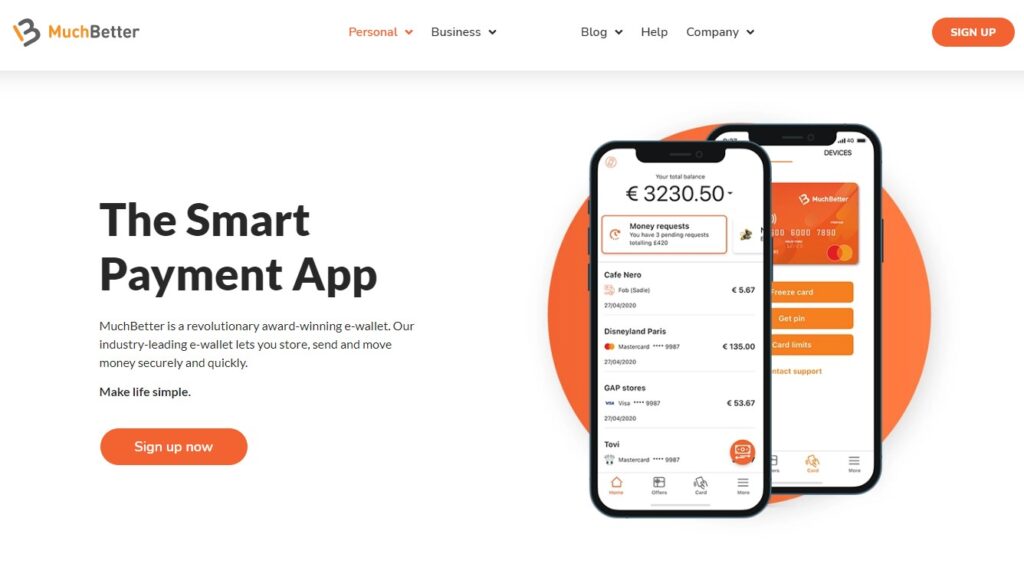
MuchBetter is revolutionising the payments space with their digital wallet, the MuchBetter Wallet. Serving over one million customers across the globe and supporting over 16 languages, the MuchBetter Wallet app offers customers a secure way to store and spend their money.
Welcome to MuchBetter
Users can download the MuchBetter Waller app from the Google Play and App Store and either sign up via the app or through a form of the MuchBetter website.
Initial registration only takes a few minutes, and once customers have signed up and downloaded the app, they can get started on their MuchBetter journey.
Account verification
Customers can get more from their MuchBetter experience by verifying their account. This adds an extra layer of security to their account while also unlocking more app features including higher deposit limits, the ability to send or request funds and more.
Verification is simple – customers confirm their identity in the app with a selfie and photograph of their licence, passport or ID card. The form of ID may vary depending on what country the customer is in however verification does not take long.
Time to top up (or withdraw)?
Loading money into a MuchBetter account can be done in just a few simple steps:
- Tap the orange button and select TOP UP
- Add the amount you’d like to top up with
- Choose the method you’d like to top up your account with
MuchBetter has a range of localised payment methods for customers to choose from, as well as competitive rates when it comes to fees compared to other digital wallets out there.
The withdrawal process is just as easy:
- Tap the orange button and select WITHDRAW
- Add the amount you’d like to withdraw from your account
- Choose the withdrawal method you’d like to use
Some top up and withdrawal methods may have extra steps depending on the method, but MuchBetter have tried to make it as easy as possible for customers to use their funds.
MuchBetter with friends
If a customer needs to split a bill, cover part of a gift, or simply send or request money, MuchBetter offers peer-to-peer transfers through the MuchBetter Wallet.
All that a MuchBetter customer needs to transfer money is the phone number of the person they want to send or request money from. Wallet-to-wallet transfers only work if friends and family also use MuchBetter but if they don’t, the recipient will receive an SMS containing a link which will enable them to create an account and instantly claim or send money.
Keeping money secure
With biometric security and extra verification steps to ensure your account stays secure, MuchBetter uses the latest authentication methods to reduce the risk of fraud to keep a customer, and their funds, safe.
MuchBetter also makes it easy to monitor spending habits with real-time notifications and approvals. Customers have easy (and secure) access to their transactions for the last 31 days with statements that detail all transactions and references which are sent via email to the address on file.
24/7 support
Launched in 2017, MuchBetter has always adopted a customer-first focus. With 24/7 support from their knowledgeable and dedicated customer support team, customers are in good hands if they have any queries or run into an issue when using the MuchBetter Wallet app.
As technology evolves and simplicity in day-to-day life is valued more and more, digital wallets like MuchBetter are fast becoming a go-to payment option.
To find out more and download the MuchBetter Wallet, head here.
Other articles from mtltimes.ca – totimes.ca – otttimes.ca