
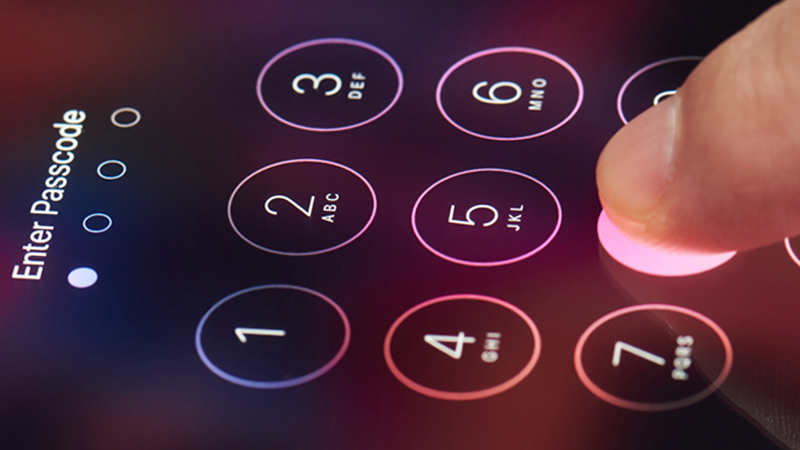
Most of us are inseparable from our smartphones. They are essentially small computers we carry around in our pockets. Phones allow us to attend business meetings from anywhere in the world, watch Netflix in our free time, and so much more. However how secure is your phone?
These devices also contain our personal and financial information, making them extremely valuable to cybercriminals. Considering phones are almost always connected to the internet, it is obvious they are the perfect targets.
Your desktop or laptop is probably really well secured with apps like antivirus and VPN (https://nordvpn.com/download/), but let’s see how secure is your phone!
Are phones secure?
Similar to computers, phones have default security apps that can protect a device up to a certain point. Both Android phones and iPhones feature various built-in security measures that provide strong protection. The rest is up to the user. They need to be careful about the apps they download to their phones.
Malware created for smartphones is becoming a significant security threat. The number of attacks increased dramatically in 2020. The researchers uncovered that 40 million mobile users were infected with malware in 2020.
In more recent news, Cynos malware was identified in March of 2021, and cybersecurity experts believe it found its way to 9 million smartphones around the globe. The malware in question collected personal information from users, such as their phone numbers, locations, and hardware specifications.
Can cybercriminals hack a phone?
The answer is yes. Cybercriminals know that each smartphone hides a treasure-trove of information that could be profitable. If you shop online, you have probably saved your financial information on your phone for easier access. Then there are login credentials you use for your job and more.
Coming up with a solid security strategy is an absolute must, even for smartphone users. Of course, additional security apps can only increase the level of protection. Installing an antivirus or VPN is always a good idea.
How to protect your phone from cyberattacks?
Auto updates
The first thing you should do to elevate your phone’s security is to enable auto-updates for both apps and the operating system. Using outdated software is a risk for any computer and could be equally dangerous for phone users.
Luckily, software companies release regular updates to patch up any flaws. Auto-updates often contain security improvements, and you don’t need to do them manually. Everything is done in the background, and you don’t even have to restart your phone.
Be careful with the apps
Downloading apps from sketchy websites is not the best idea when your goal is to protect your phone. Remember to use the App Store or Play Store only. The apps available in the store need to go through extensive screening before users can download them.
Permissions are another thing you should keep a close eye on. Random apps shouldn’t have access to your personal or financial information for no good reason.
If you have extra time, go through your phone and delete the apps you haven’t used in a while. Then go to the settings and check the permissions for the remaining apps. You’ll free up some space and secure your phone even more.
Connect safely to public Wi-Fi
Public Wi-Fi is convenient because it is available everywhere we go. However, these networks can also be a huge security risk for mobile users. You need to know other people are using the same network, and some of them might be after your data.
Of course, you don’t have to stop using public Wi-Fi altogether. Apps like VPNcan create a safe connection to an open network by encrypting your traffic. Third parties won’t see what you do on your phone once the VPNis switched on.
No jailbreaking
While jailbreaking is tempting because it gives you access to more apps, it isn’t worth it. Apple users sometimes resort to this practice to install software not available in the App Store. Unfortunately, jailbreaking can make your phone easy to hack.
Once you jailbreak your phone, you will remove the built-in protection of your phone. Not to forget you can say goodbye to the warranty. If something happens to your device, Apple Support won’t be able to help you solve the problem.
Other articles from mtltimes.ca – totimes.ca – otttimes.ca

New Cabaret La Nuit Shanghai is a must try!

Latest data sees rise in separation anxiety as Canadian pet owners start to return to office